


本文保留 UR5 的依赖、安装环境、测试和实体机器人通信记录。先区分软件测试与实体设备连接,再按相应章节检查,不将软件示例运行视为实体机器人已完成验收。
1.Packages
| 项目 | Packages |
|---|---|
| universal_robot | ur3_moveit_config,ur_description,ur_kinematics,universal_robot,ur5_moveit_config,ur_driver,ur_modern_driver,ur10_moveit_config,ur_bringup,ur_gazebo,ur_msgs |
| industrial_core | industrial_core ,industrial_robot_client,industrial_utils,industrial_deprecated, industrial_robot_simulator,industrial_msgs, industrial_trajectory_filters,simple_message |
| moveit | … |
2.安装环境
- ros-kinetic
3.安装
安装MoveIt
sudo apt-get install ros-kinetic-moveit
创建工作空间及下载包
mkdir -p ~/universal_robot/src
cd ~/universal_robot/src
git clone https://github.com/ros-industrial/universal_robot.git
git clone https://github.com/ros-industrial/industrial_core.git
下载ur_modern_driver驱动
cd universal_robot
git clone https://github.com/beta-robots/ur_modern_driver.git
修改驱动文件
gedit ~/universal_robot/src/universal_robot/ur_modern_driver/config/ur5_controllers.yaml
在文件最后添加下面内容
controller_list:
 - name: /vel_based_pos_traj_controller #or /pos_based_pos_traj_controller
   action_ns: follow_joint_trajectory
   type: FollowJointTrajectory
   default: true
   joints:
      - shoulder_pan_joint
      - shoulder_lift_joint
      - elbow_joint
      - wrist_1_joint
      - wrist_2_joint
      - wrist_3_joint
编译
cd ~/universal_robot
catkin_make
4.测试
要在gazebo和rviz模拟UR5并在模拟中对其进行控制,请首先安装必要的软件包:
sudo apt-get install ros-kinetic-gazebo-ros-pkgs ros-kinetic-gazebo-ros-control
sudo apt-get install ros-kinetic-ur-gazebo ros-kinetic-ur5-moveit-config ros-kinetic-ur-kinematics
打开终端,启动
roslaunch ur_gazebo ur5.launch
打开新终端
roslaunch ur5_moveit_config ur5_moveit_planning_execution.launch sim:=true
再打开一个新终端
roslaunch ur5_moveit_config moveit_rviz.launch config:=true
结果图
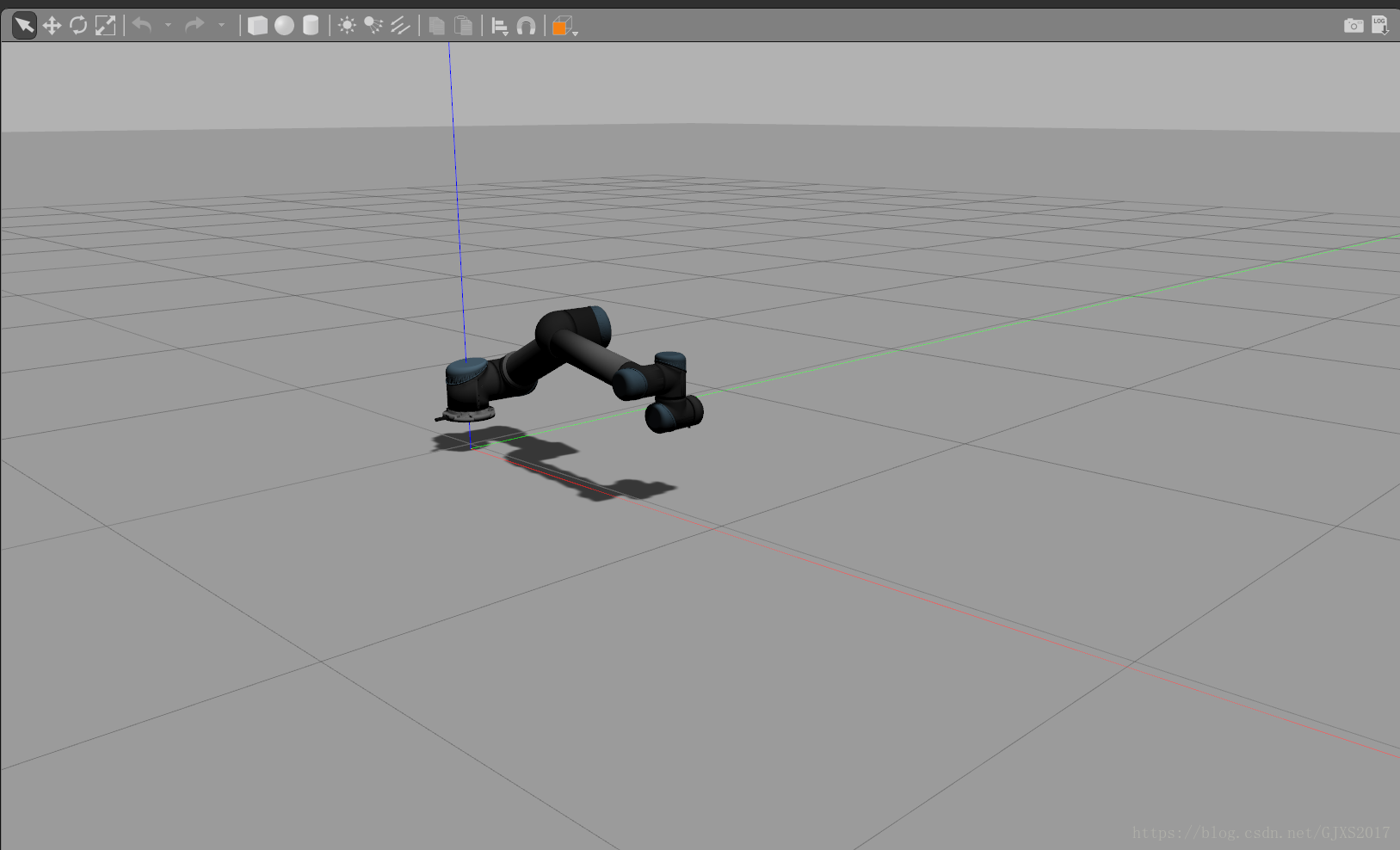
gazebo:
rviz:
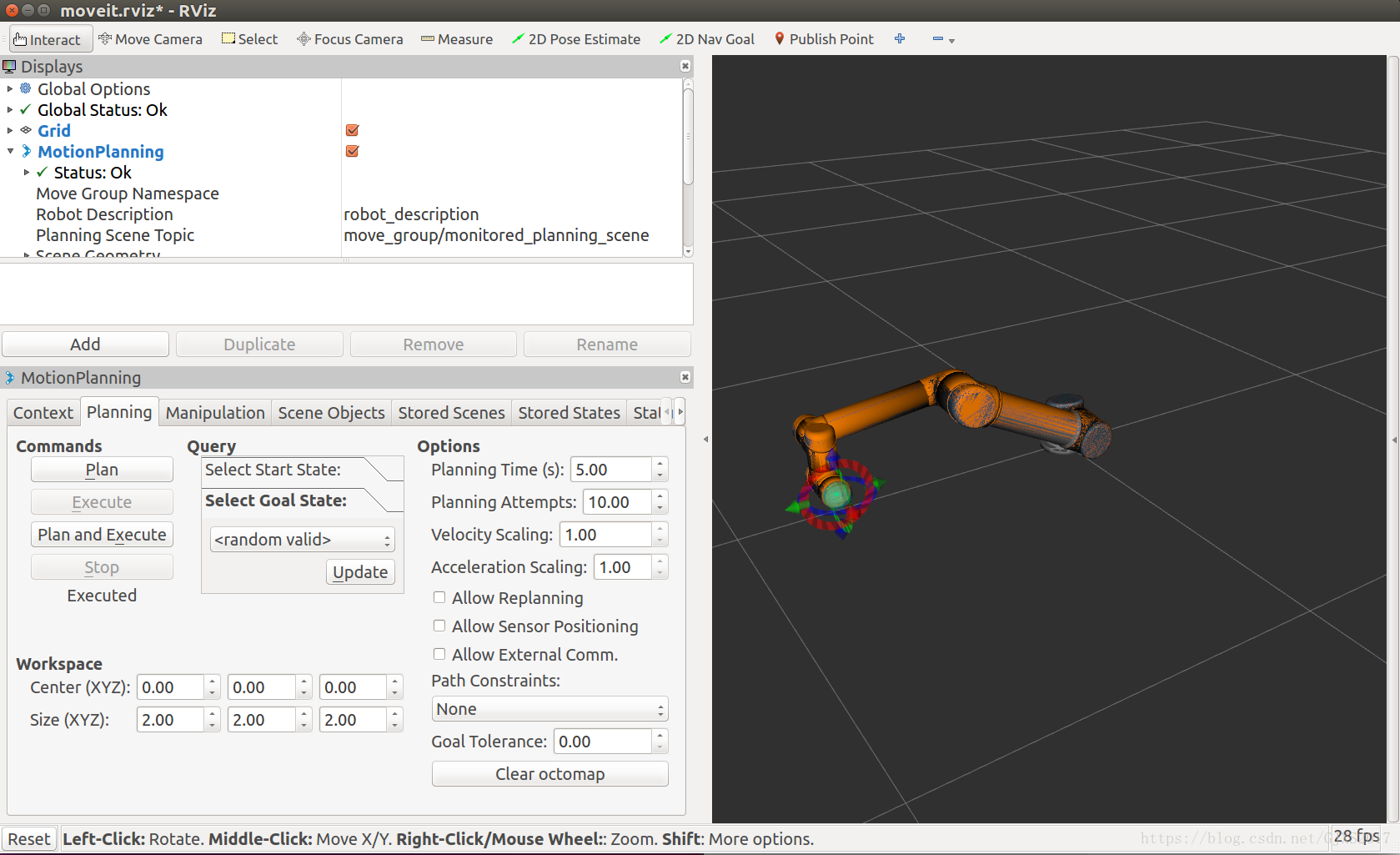
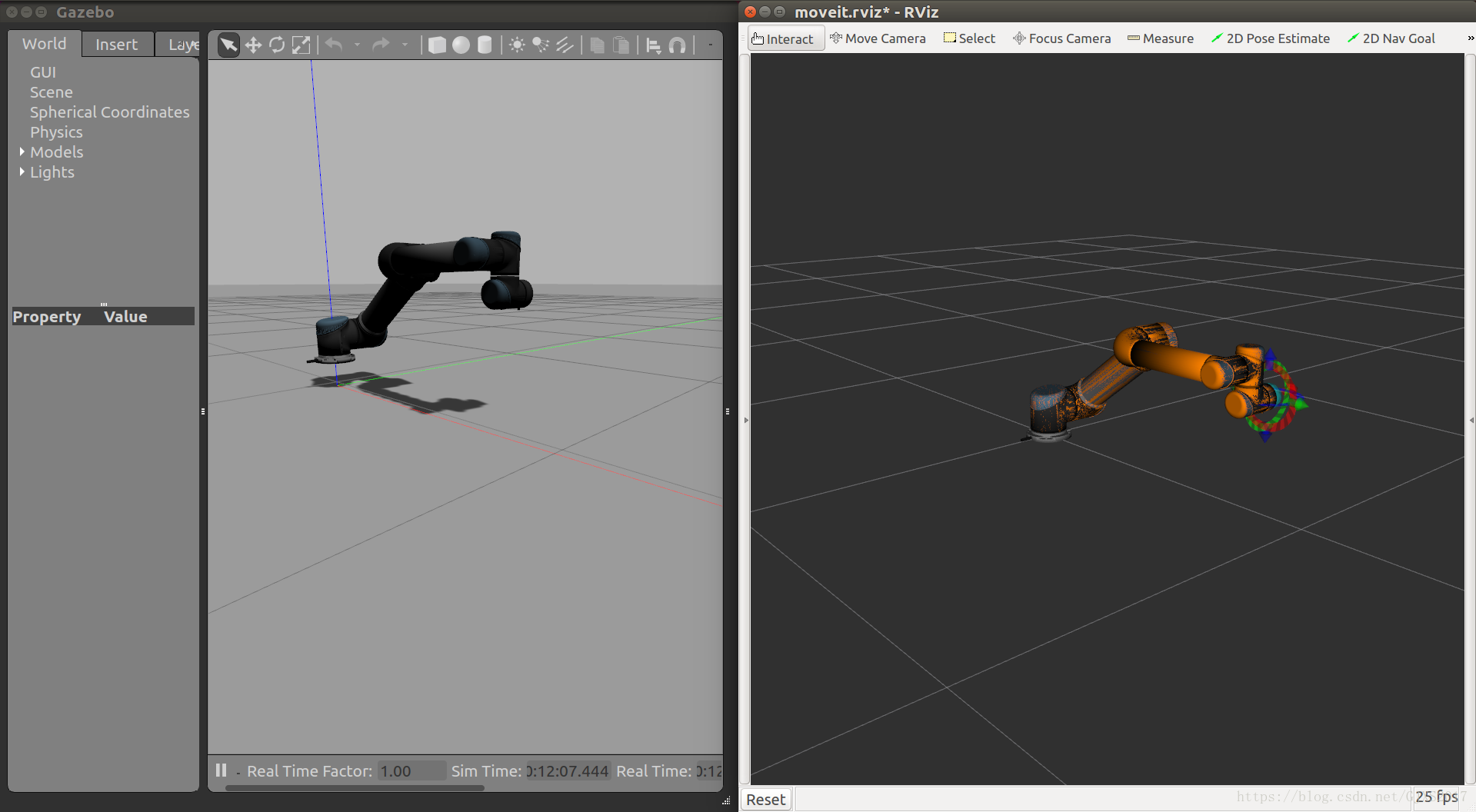
通过拖动UR5的末端,按plan可以规划路径,按execute可以使UR5运动,在gazebo上也可以看到运动的图像
5.与实体机器人通讯
要调出真实的机器人,请在用实际硬件地址替换IP_OF_THE_ROBOT后运行以下命令:
roslaunch ur_modern_driver ur5_bringup.launch robot_ip:=IP_OF_THE_ROBOT [reverse_port:=REVERSE_PORT]
为了设置MoveIt!允许运动计划运行的节点
roslaunch ur5_moveit_config ur5_moveit_planning_execution.launch
用于启动包含MoveIt!的配置的RViz!运动规划插件运行:
roslaunch ur5_moveit_config moveit_rviz.launch config:=true
说明:1.使用tool0_controller框架,默认的框架名称是:base和tool0_controller。
2.ur_modern_driver驱动程序目前支持两个位置轨迹控制器; 基于位置和基于速度。它们都通过启动文件加载,但其中只有一个可以同时运行。默认情况下,基于速度的控制器启动。您可以通过调用相应的服务来切换控制器:
rosservice call /universal_robot/controller_manager/switch_controller "start_controllers:
- ‘vel_based_pos_traj_controller’
stop_controllers: - ‘pos_based_pos_traj_controller’
strictness: 1"
或者
rosservice call /universal_robot/controller_manager/switch_controller ‘{start_controllers: {‘vel_based_pos_traj_controller’}, stop_controllers:: {‘pos_based_pos_traj_controller’},strictness: 1}’
在启动新控制器之前,请确保在当前正在运行的控制器之前或之后停止,否则将失败。
6.可能产生的问题
错误1:
universal_robot/ur_modern_driver/src/ur_hardware_interface.cpp:186:22: error: ‘const struct hardware_interface::ControllerInfo’ has no member named ‘hardware_interface’
controller_it->hardware_interface.c_str());
解决方法:
改变ur_hardware_interface.cpp,具体地改变controller_it-> hardware_interface到controller_it->类型
ur_hardware_interface.cpp文件路径为:universal_robot/ur_modern_driver/src/ur_hardware_interface.cpp
参考链接:
更改后的ur_hardware_interface.cpp
阅读路径与操作边界
原文把环境安装、软件测试和“与实体机器人通讯”分开。先完成与当前阶段对应的配置检查,再进入实体设备连接部分;软件示例启动成功不应在文字上被描述成实体设备完成了测试。
评论区